
Tools + Tech
The 7 Deadly Sins of Virtual Yoga Classes (And How Top Teachers Avoid Them)
You've built your online platform. You're showing up every week. But something isn't clicking.
Students drift away. Your drop-in numbers plateau. The feedback is polite but vague. And somewhere in the back of your mind, you wonder if teaching online is just... harder than it's supposed to be.
It might not be your content. It might not be your pricing. It might be something much more fixable.
After watching thousands of virtual wellness classes across the Marvelous platform, we've identified seven mistakes that quietly kill retention, trust, and perceived value, even among experienced instructors who are excellent teachers in person.
The good news: every single one of these is solvable, often with tools you already own.
Sin #1: The Wrong Camera Angle (And Why It's Costing You Students)
The most common mistake in virtual yoga teaching isn't bad lighting or poor audio. It's the camera angle—and it has a deeper effect than most instructors realize.
When your camera is at desktop height looking up at you, your students spend the entire class staring up your nostrils while you loom over them. It creates an unconscious power imbalance. It feels clinical. It doesn't feel like a yoga class.
The fix is simple: elevate your camera to eye level or slightly above, angled down toward you at roughly 10–15 degrees. |
This single change transforms the feeling of a class. Suddenly you're talking with your students, not at them. The energy shifts from lecture to practice.
How to do this with what you already own:
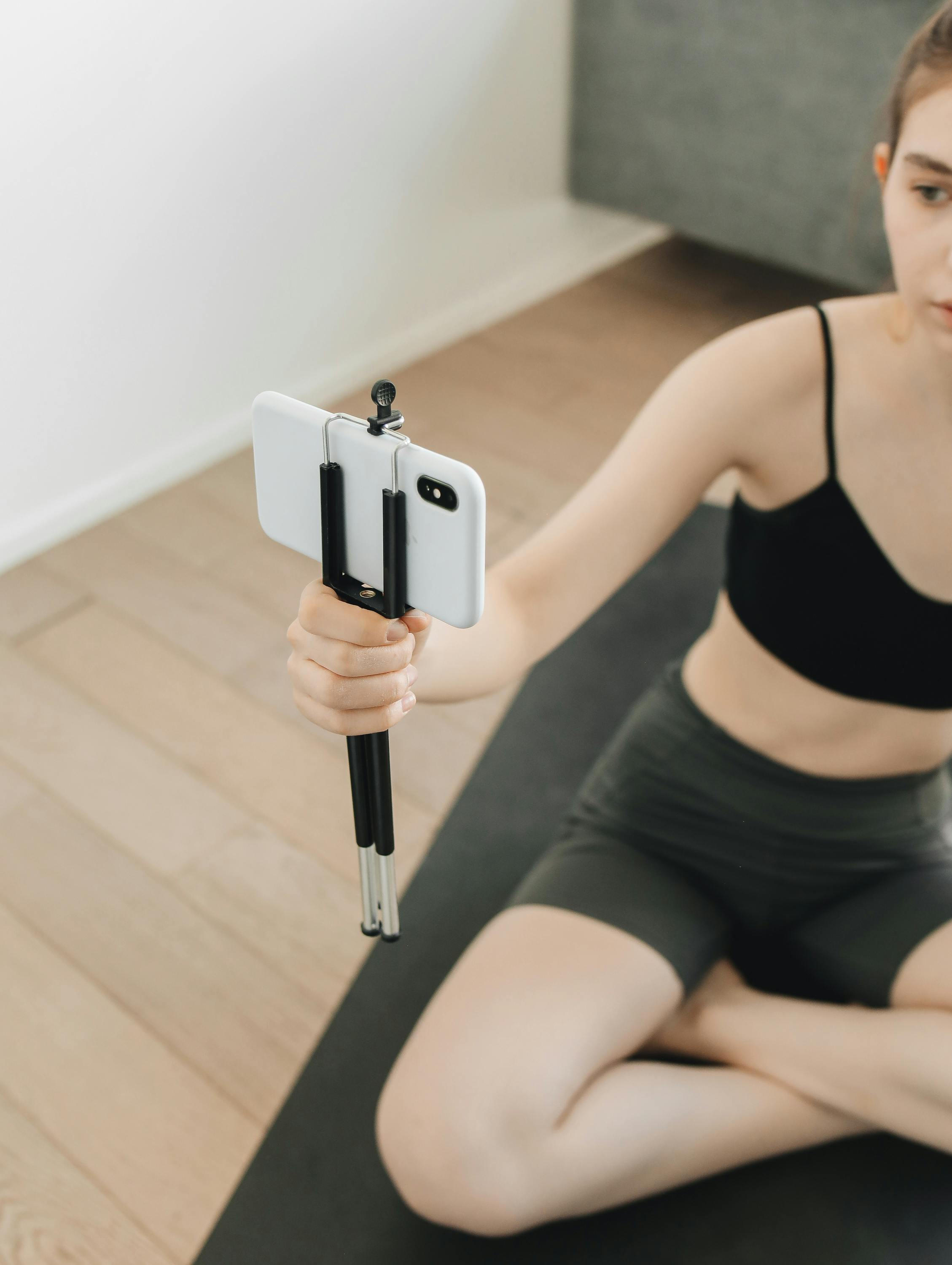
iPhone or webcam: Stack a few books, a small box, or grab an inexpensive phone tripod (under $20 on Amazon). Your camera should sit at or just above your eye line when you're standing.
Sony ZV-E10 or similar vlog camera: Mount on a tripod at chest-to-eye height. The flip screen is your best friend—use it to frame your shot before class, not during.
Laptop camera: A laptop stand or riser is a worthwhile $15–40 investment that will instantly improve every class you teach.
Before your next class, record 30 seconds of yourself at your current angle. Then adjust and record again. The difference will be immediately obvious.
Sin #2: Lighting That Makes You Look Sick (Or Like You're Teaching From a Cave)
Bad lighting is the fastest way to make a professional instructor look amateur. And it's completely unnecessary—you don't need expensive gear to look good on camera.
The $50 setup that looks like $500:
What You Need | Why It Matters |
1 ring light OR face a window | Soft, even light that fills your face. No harsh shadows. |
Light source in FRONT of you | Behind-you light creates silhouettes. Always face your light. |
Warm bulb (3000K–4000K) | Cooler bulbs make skin look grey or greenish on camera. |
No overhead-only lighting | Overhead alone casts unflattering downward shadows. |
The single most important rule: your primary light source should be in front of you, never behind you.
If you teach near a window, face the window. Natural light is the most flattering light there is—and it's free. If you teach in the evening or in a room without good natural light, a basic ring light (around $30–50) is the investment with the highest return in your entire studio setup.
"Before" and "After" test: Take a photo of yourself at your teaching spot, then turn to face a window or position a lamp in front of you and take another. Send both to a trusted student and ask which looks more like a class they'd pay for. |
Sin #3: Teaching to the Camera Instead of to Your Students
This is the insight that changes everything for instructors who've been teaching online for a while and still feel like something is off.
When you teach in person, you're constantly reading the room—scanning faces, adjusting pace, noticing when someone is struggling. You're in relationship with your students.
Online, that feedback loop disappears. So most instructors do one of two things: they either ignore the camera entirely (and students feel abandoned), or they perform at the camera like it's a one-way broadcast (and students feel like an audience, not a community).
The shift: treat the camera as a window, not a lens.
Before your next class, put a small sticky note near your camera lens. Write a student's name on it—someone you know well. Teach to that person. Talk to them. Check in with them.
This sounds small. It isn't. Students can feel when you're present with them versus when you're performing. The instructors who retain students year after year are the ones who figured out how to be genuinely present even through a screen.
Teaching TO the camera | Teaching THROUGH the camera |
Stiff, performance energy | Natural, conversational presence |
Eyes glance around the screen | Eyes return to the lens (the 'eyes' of your student) |
Announcements feel formal | Check-ins feel personal |
Students feel like viewers | Students feel like participants |
Sin #4: Audio That Makes People Work Too Hard to Hear You
Here's the uncomfortable truth about audio: people will forgive mediocre video quality, but they will leave a class with bad audio. Straining to hear an instructor is exhausting. It breaks the flow state that makes yoga feel transformative.
The built-in microphone on your laptop or webcam is usually the worst option in your house. It picks up everything: the HVAC, traffic outside, your footsteps as you demonstrate poses, the echo off bare walls.
Audio upgrades by budget:
Free: Teach in a room with soft surfaces (rugs, curtains, furniture). Sound-absorbing materials reduce echo dramatically. Close windows and doors.
~$25: A basic lavalier (lapel) mic that plugs into your phone or laptop. Positions the mic close to your mouth even when you're moving.
~$60–100: USB condenser mic (Blue Snowball, Samson Q2U). Great for instructors who teach mostly from a stationary position—leading meditation, seated pranayama, etc.
~$100–150: Wireless lavalier system. The gold standard for movement-based teaching. Freedom to demonstrate any pose without losing audio quality.
Test your audio before every class by recording 60 seconds and listening back with earbuds. You'll hear what your students hear—often for the first time.
Sin #5: A Background That Distracts Instead of Supports
Your background communicates before you say a word. A cluttered background says chaos. A blank white wall says isolation. A thoughtfully set background says: this person has created a space for practice.
You don't need a professional studio. You need intention.
Clear the background: One pass to remove visual clutter does more than any backdrop purchase.
Add one or two meaningful elements: A plant. A candle. A piece of art or textile that reflects your aesthetic. These aren't decorative—they tell a story about who you are as a teacher.
Consider your color palette: Warm neutrals (white, cream, terracotta, sage) read beautifully on camera and create a sense of calm. Avoid high-contrast patterns directly behind you.
If your space genuinely doesn't work: A quality virtual background beats a messy real one. Use a solid color or a subtle, blurred natural image—not a dramatic landscape or branded template that screams 'I'm hiding my apartment.'
Sin #6: The Opening Two Minutes That Kill Momentum
The first two minutes of your class are more important than you think. Students decide in those two minutes whether they're going to be fully present—or whether they're going to be half-watching while checking their phone.
The most common opening mistakes:
Waiting for latecomers while your present students sit in silence
Troubleshooting your tech live (audio issues, screen sharing problems)
Starting with logistical announcements that should have been in the pre-class email
An energy that says 'I'm not quite ready yet'
What top instructors do instead:
They start with arrival. A breathing cue. A moment of grounding. Something that gives students who are on time a reason to be glad they are.
They handle tech before class, not during it. They log on 5–10 minutes early, confirm everything is working, and greet early arrivers. By the time class officially starts, they're already in the room with their students.
They use those first two minutes to create a container—not to apologize for being there.
Sin #7: Treating Every Student Like They're in the Same Room as You
In-person yoga, you can adjust students physically, read micro-expressions, and respond to the energy in the room. Online, that feedback loop is slower and different.
The mistake is trying to recreate the in-person experience exactly. The students who thrive in online classes are the ones who've been set up to succeed in an asynchronous, self-directed way.
What this looks like in practice:
Send a 2–3 minute 'class prep' voice note, email or community message before each live session. What to have ready. What to wear. What the energy of today's practice will be. This primes students to arrive ready.
Build in micro-check-ins during class. A simple 'drop a heart in the chat if that landed' does more for retention than you think. It creates presence.
End class with a transition ritual, not just a goodbye. A minute of journaling prompt. A breathing practice to carry into the day. Something that makes leaving feel like completion, not interruption.
What a $150 Virtual Class Feels Like vs. a $15 One
The difference between a virtual class that commands premium pricing and one that competes on price isn't the content—it's the experience.
A $15 class is technically fine. The instructor knows their material. The sequence makes sense. But the lighting is a little unflattering. The audio has some room echo. The opening feels slightly rushed. There's no pre-class communication. The background is neutral but uninspired.
A $150 experience is the same instructor—same sequence, same expertise—but everything around the content signals care, preparation, and professional intentionality. The camera angle feels intimate. The light is warm and inviting. The opening two minutes create an immediate container. Students feel held.
The yoga is the same. The experience is completely different. And students will pay for experience. |
None of the upgrades that create that experience require a significant investment. They require attention.
Your Next Step
Pick one sin from this list—just one—and fix it before your next class.
Don't try to overhaul everything at once. The instructors who consistently improve their virtual teaching are the ones who iterate, not the ones who try to do a complete studio renovation before they press 'go live' again.
Fix the camera angle this week. Get a ring light next week. Practice the opening ritual the week after.
Small, consistent improvements compound. And so does student loyalty.
Ready to give your virtual classes a home that matches the quality of your teaching?
Learn more about teaching on Marvelous here.
RESOURCES:
Teach on Marvelous
Check out the Well Well Well marketplace
Marvelous is Your All-in-One Platform for Stunning Courses, Memberships & Live Classes
Start creating and earning on Marvelous.